
Emacs: Org Mode Features
About
Overview of the Org mode features, based on Org Manual and other sources.
Headings and sections
Headings start with * and the number of stars defines the heading level.
A couple of ** create the second level. And so on…
Instead of typing many ~*~s, you can use TAB at the beginning of the line to indent and Shift-TAB to de-indent.
The text under the heading becomes the section text and is indented according to the parent heading.
Note: The confusion: coming from markdown, I thought that * starts a list.
But this is not a list, this is a heading (similar to markdown's #, ##, etc.).
It is displayed in org mode as a hierarchical (and collapsible) structure, so it kind of looks and works like a list too.
Lists
Lists can be started with +, - or * (the * should not be at the start of the line or it will be a heading), the list with + markers:
- Item 1
- Item 1.1
- Item 1.1.1 (use TAB to indent sub-items)
- Item 1.1
- Item 2
- Item 2.2 (items can also be indented by adding more spaces before the marker)
Structure editing commands (see above) that can be used for headings are also useful for lists.
So, for example, M-Up / M-Down move list items up and down.
List with - marker and check-boxes (added with [ ], [x], [-])
[ ]not started[-]in progress[X]complete
TODO Organize party [75%] [3/4]
[-]call people[1/3][ ]Peter[X]Sarah[ ]Sam
[X]order food[X]think about what music to play[X]talk to the neighbors
Scheduling:
- SCHEDULED: - Schedule an item for a specific date.
Use M-x org-toggle-checkbox to toggle the current checkbox and recalculate cookies.
Use M-x org-toggle-radio-button to toggle the current checkbox as radio-button (untoggle the rest on the same level).
More commands: org#Checkboxes
Note that direct text editing does not trigger the cookies recalculation. This only happens after using one of the commands like M-x org-toggle-checkbox or M-x org-update-statistics-cookies (specifically to do the recalculation).
Links
Links:
[[link]][[link][description]][[file:file.org]][[file:file.org::heading]]
The link format is similar to HTML: <a href="target">desc</a> (first link, then description).
Once the link is inserted, it is rendered as a hyperlink.
To update it, use M-x org-insert-link or switch to the fundamental
mode with M-x fundamental-mode for a plain text view.
Links to images without description are rendered automatically:
- Web image:
- Local image:

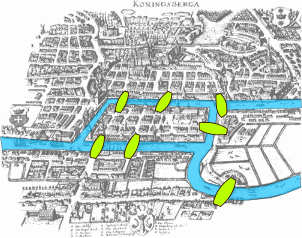
To display the image in Emacs, put the cursor on the link and do M-x org-link-preview.
To automatically display all images in Emacs:
Org mode can display link previews automatically when opening buffers. Either customize 'org-startup-with-link-previews' or use the '#+STARTUP: linkpreviews' keyword to enable previews for that specific buffer when opening it. '#+STARTUP: nolinkpreviews' will disable previews on startup in the buffer.
Info manual links
It is useful to have links to the Info manual. For example, in this document, to have links to the Org mode Info manual for more details.
Example: org#Global and local cycling
To copy a link in Info mode, use M-x org-store-link then insert into the org document with M-x org-insert-link.
Links: cross-linking
The M-x org-store-link and M-x org-insert-link are useful to get
links to org documents or nodes and paste in another document.
The link can be edited by using M-x org-insert-link again.
For more reliable cross-links in org documents, use M-x org-set-property
and insert the CUSTOM_ID property.
Links can point to a place inside other files:
file:~/code/main.c::255- find line 255file:~/xx.org::My Target- find<<My Target>>[[file:~/xx.org::#my-custom-id]]- find the entry with a custom ID
Tables
Table is added with |, like this:
| Table Heading | Table Heading |
|---|---|
| Table cell | Table cell |
| Table cell two | Table cell two |
| Aligned with TAB | |
Table is reformatted with TAB when cursor is inside the table.
Markup
Markup is different from Markdown, but similar by nature:
- Bold (
*Bold*) - italic (
/italic/) - underline (
_underline_) verbatim(=verbatim=)code(~code~)strike-through(+strike-through+)
Markup can be combined: combination (_*/combination/*_).
code (~code~) and verbatim (=verbatim=) need to be the inner-most markup.
More information: Emphasis Markers
Editing raw markup
Org mode renders the markup, so, for example, after you add a link, it is hard to edit the URL.
Switching to M-x fundamental-mode shows everything as plain text.
- Is there a better way to do this?
Blocks and Code Blocks
Example block:
block example
Source block:
(message "Hello World")
To wrap text into the block, use M-x org-insert-block-template.
Code blocks can be executed. Emacs Lisp works by default and more languages can be added like this (a snippet from the emacs config):
;; use python3
(setq org-babel-python-command "python3")
;; Enable python and bash support in org-babel,
;; so that we can run code blocks in org-mode.
(org-babel-do-load-languages
 'org-babel-load-languages
 '((python . t)
   (shell . t)))
Execute the code block with M-x org-babel-execute-src-block, the output goes into the following #+RESULTS block:
echo "Hello World (bash)"
Hello World (bash)
return "Hello World (python)"
Hello World (python)
We have access to the outside world too, for example, get the list of *.el files in the current folder, calculate file sizes and print as a table:
from pathlib import Path
elFiles = []
for el_file in Path("./").glob("*.el"):
    elFiles.append([
        el_file.name,
        "{:4.1f} KiB".format(el_file.stat().st_size / 1000)])
return elFiles
| custom-vars.el | 0.8 KiB |
| init.el | 43.4 KiB |
Clocking
C-c C-x C-i- Start the clockC-c C-x C-o- Stop the clockC-c C-x C-e- Change the effort estimate
Capturing
M-x org-capture
Agenda
- C-c a a - Open the agenda (day / week view)
- C-c a t - List all TODO entries
- C-c a m - Match tags and properties
Org mode + Embedded Calc Demo
https://www.reddit.com/r/emacs/comments/1upaqm5/underappreciated_emacs_builtins_emacs_calc/
Press C-x *, then ? to see the calculator help.
Calculator can work in its own window, but it can also be used in the org document to calculate embedded expressions.
Press C-x * u on the formula to evaluate it.
$(80 km/h) * 2h$
The formula like above will be replaced with the result.
To keep the formula and add the result, use the => at the end of the formula:
$(80 km/h) * 2h => $
C-x * a detects and activates every "assignment-formula", so we can have some
assignments and then evaluate the formula that uses them:
$mass := 2 kg$
$v := 3 m/s$
$E_c := (1/2) mass * v^2 => $
Out comes 9 kg m^2 / s^2
The calculator understands units:
$side1 := 3 m$
$side2 := 40 cm$
$hyp := usimplify(sqrt(side1^2 + side2^2)) => 3.02654919008 m $
It can solve equations! Press C-x * u on the next formula:
$solve(22 x + 33 = 65, x) => x = 1.45454545455 $
org-rich-yank to copy/paste rich text
Copy code, then insert with M-x org-rich-yank to get it formatted as org mode
block.
org-download to download images
Put the cursor on a link, copy it (can do vi[y if on an org link)
then run M-x org-download-yank to download the image and insert a
local link into the org file.
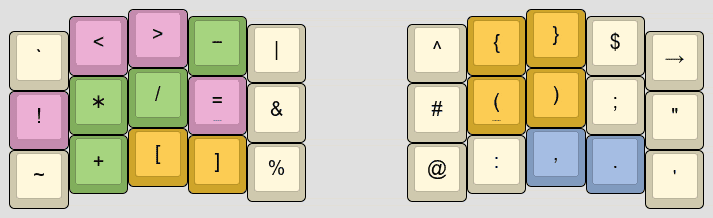
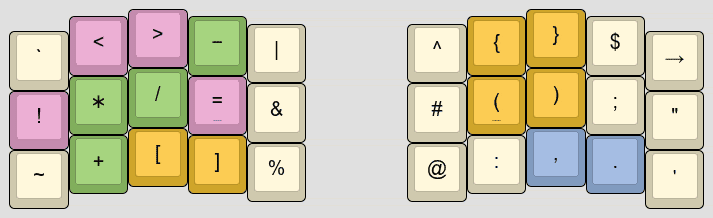
Use M-x org-link-preview to display images inline.
Use M-x org-link-preview-refresh to make sure all images are displayed.
org-download also allows dragging and dropping images to Emacs.
pandoc to convert from Google Docs to org-mode
Google Docs document can be converted to org mode by downloading it as docx and then
converting with pandoc:
# The --extract-media=images will put extracted images in the images/media folder.
pandoc -f docx -t org --extract-media=images -o Document.org ~/Downloads/Document.docx
How I org in 2023 (web)
My notes based on the "How I org in 2023" article:
Structure
- ~/org
- ~/org/roam
- subfolders, lots of files
- lots of files
- ~/org/roam
Write
- org-roam [primary capture interface, with lots of templates]
- org-roam-ui - interactive 2D or 3D graph of nodes
- org-babel to execute code inside documents
- org-transclusion to extract content into separate notes and link to it
- presentations using
org-revealandorg-re-revealwith nice features like speaker notes abbrev-modefor auto-correcting common typoswritegood-modeand olivetti are nice for writing.- diagrams with PlantUML or Mermaid
Capture
- org-web-tools to pull web pages into org
- org-download to insert images into a document, provides functions for taking and inserting screenshots, downloading images, renaming images as well as dragging and dropping images into your document
- org-rich-yank to copy/paste rich text
- capture notes for yesterday, tomorrow or an arbitrary date:
org-roam-dailies-capture-yesterday,org-roam-dailies-capture-tomorrow, andorg-roam-dailies-capture-date org-roam-captureto capture non-date related note.
Export
- there are many export backends:
org-mimefor mail, Markdown flavours (ox-hugofor blog,ox-gfm,ox-slack) - export using
ox-jiraand useorg-jirato manage issues in Jira. - write reports, export to ODT for copying and pasting into Google Drive and PDF for emailing
- write blog posts exporting with
ox-hugoto multiple websites using different hugo configurations - author emails in org-mode exported with
org-mimeas a multi-part ASCII & HTML message
Search
- Search node by name: org-roam-node-find
- Search content: ripgrep + consult-ripgrep
- See other notes that link to this one: org-roam-buffer
- org-agenda can be fed by org-roam-db-query
Mobile
- Syncthing to sync the
Orgzlyfolder and the Orgzly, android app
LLMs:
- org-ai, chatgpt-shell, llm, gptel
- Khoj is a desktop application to search and chat with your notes, documents and images.
- It is an offline-first, open source AI personal assistant accessible from your Emacs, Obsidian or Web browser.
- It works with jpeg, markdown, Notion, org-mode, pdf files and github repositories.
Other
- ob-translate: translate text
- md4rd: Reddit client
- elfeed: feed reader
- org-roam-search: org-ql like search for org-roam
- org-ql: query language for Org files
- org-edna: dependencies and actions for Org tasks
- org-mru-clock: automatically track time for the most recent task
- org-noter: create Org notes for other documents
- org-cv: make a CV in org-mode (-> LaTeX -> PDF)
- ox-leanpub: publish books and courses
- org-super-agenda: "supercharge" the agenda by grouping it into sections
- org-recent-headings
- org-protocol-capture-html: capture web pages to Emacs with a bookmarklet
- emacs-slack: Slack client
- literate-calc-mode: literate programming for M-x calc
- org-similarity: cosine similarity search for Org files
- org-ref: insert citations, cross-references, indexes and glossaries
- org-cite: citations (https://orgmode.org/manual/Citations.html)
- org-bibtex: bibtex citations
- orgmdb: watchlist, OMDb API
- org-roam-review: spaced repetition for notes.
- org-pretty-table: unicode tables
- org-roam-timestamps: track modification and creation time for nodes.
- camcorder.el: record screencasts from emacs
- org-msg: authoring emails
- orgrr: a replica of org-roam v1 implemented using ripgrep
- gkroam
- denote: simple note taking tool using predictable and descriptive file-naming scheme.
- zk: simple Zettelkasten implementation for Emacs.
Example: email flow, documentation update, Git flow
- Email
- Read emails in
mu4e, open the message you want to reply to. - Run
org-roam-dailies-capture-> press e (email) r (response). - This creates a new node in today's work log with the headline "Responded to name@some.org Re: Some Email" and a link back to the message in mu4e (that information is automatically pulled from the email I was reading when I initiated the capture).
- The "e" -> "r" points to the email response template.
- Standard template fields are pre-populated.
- Find relevant information in another note,
org-roam-node-find - Run
org-mime-org-subtree-htmlizeto export the org-mode text to a multipart plain text (ascii) and html message - Then
C-c C-cto send it, andC-c C-cagain to complete my capture
- Read emails in
- Documentation update
- run
org-jira-create-issueto create the ticket - run
org-jira-progress-issueto set it in progress - initiate a new work log capture
- run
projectile-switch-projectand switch to the documentation repository - find the documentation I want to update and yank it
- go back to the work log, run
org-rich-yankto paste the copied text with a link back to the source - update the documentation, while at it visit other repositories yanking other snippets of code for reference
ol-git-linkprovides nice capabilities for linking to git forges
- export the notes to Jira wiki syntax with
ox-jira - copy exported text, add it to the Jira ticket using
org-jira-add-comment
- run
- Git flow
- continuing from above…
- create a new branch with
magit-branch-create, commit and push. - use forge to open a pull request, request reviewers, make comments and grab the URL of the Pull Request
- add the PR URL to the work log which ultimately becomes a well styled comment in the associated Jira issue
- once the PR is approved, merge it with
forge-mergeand close the issue withorg-jira-progress-issue
Example, configuration (source): Setting org-agenda-files dynamically to a custom dir (to collect todos scattered across the files)
(defun my/search-TODO-created-2023()
  (seq-uniq
    (seq-map
      #'car
      (org-roam-db-query
       [:select [file]
                :from nodes
                :where (like properties '"%CREATED%2023%")
                ]
                ))))

(setq org-agenda-custom-commands
     '(("z" todo "TODO" ;; (1) (3) (4)
       ((org-agenda-files (my/search-TODO-created-2023)))
       )))
Links
- Reflecting on my history with org-mode in 2023
- Org Mode - Organize Your Life In Plain Text!
- Org-mode all the thingz!
- Emacs GTD Flow Evolved
- VP of Emacs: A Personal Wiki In Plain Text
- NotDeft: Emacs package for searching and managing collections of plain text note files.
- It features efficient, local, Xapian engine based search over potentially very large numbers of note files